
(( Bracelets )) Ankara with Beads and Loose Threads
| Table of contents |
|---|
| 1 - Introduction 2 - Step by Step 2.0 - Step 1 2.1 - Step 2 2.2 - Step 3 2.3 - Step 4 2.4 - Step 5 2.5 - Step 6 2.6 - Step 7 2 - Ankara Variation |
Introduction
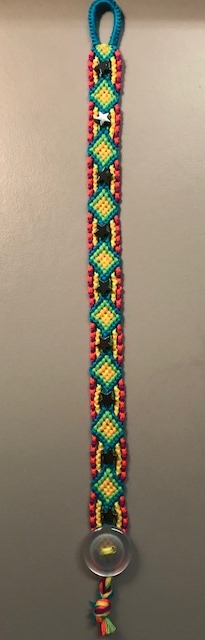
In this tutorial you can learn how to make the Ankara-bracelet from http://www.freundschaftsbaender.at supplemented by beads in the middle.
First of all, follow this path and check out the explanations from the website: http://www.freundschaftsbaender.at --> Muster --> Standardmuster 1-130 --> page 9 --> Ankara bracelet --> Knopfanleitung
Direct link: Ankara
In this case, to change the framing colours, you'll need 12 threads in 6 colours (2 of each colour ). The colours used in the tutorial are: blue, red, orange, light orange, yellow and light yellow
Step by Step
Step 1
Make a buckle and order the threads from the left to the right the following way:
R, LY, B, LO, O, Y, Y, O, LO, B, LY, R

Step 2
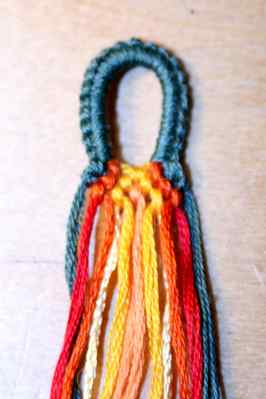
First row: bk (B) - bk (O) - fk (Y) - fk (O) - fk (G)
Second row: bk (B) - bk (O) - bk (Y) - fk (Y) - fk (O) - fk (B)
Third row: bfk (O) - bfk (Y) - fk (LO) - fbk (Y) - fbk (O)
Step 3
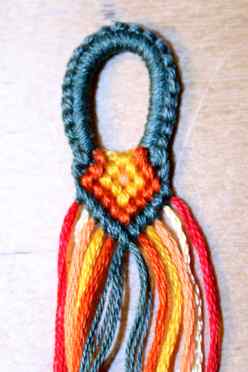
row 4: fk (B) - fk (O) - fk (Y) - bk (Y) - bk (O) - bk (B)
row 5: fk (B) - fk (O) - fk (Y) - bk (O) - bk (B)
row 6: fk (B) - fk (O) - bk (O) - bk (B)
row 7: fk (B) - fk (O) - bk (B)
row 8: fk (B) - bk (B)
row 9: fk (B)
Step 4
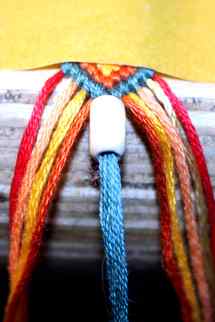
Add a bead over the two blue threads and make a forward knot and a backward knot with the blue threads to close it:
Step 5
Take the orange and the yellow string and make 6 or 7 orange forward/backward-knots (the number of knots depends on the dimension of the bead).
Then you leave out the light orange string and make 7 or 8 red backward/forward-knots with the red and light yellow threads:
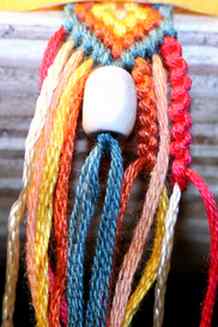
Make it on both sides:

Step 6
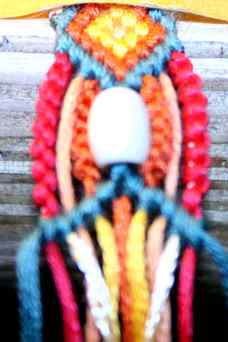
Make 6 blue backward-knots on the left and 5 blue forward-knots on the right side (you'll have a chevron):
Step 7
Take the two orange threads from the middle and make 4 backward-knots + 1 bfk on the left side and 3 forward knots + 1 fbk on the right side.
Take the two yellow threads and make 2 bk + 1 bfk on the left and 1fk + 1fbk on the right.
Make a fk with the light orange threads.
Repeat STEPS 3 and 4:
Then repeat STEP 5, but change the colours (6 or 7 yellow bfk instead of orange and 7 or 8 light yellow fbk instead of red):
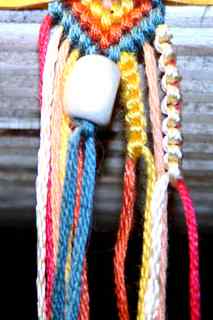
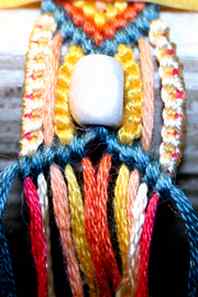
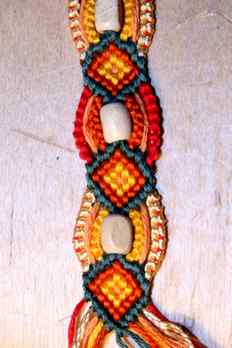
Repeat the process several times, and there you are:
_________________________________________________________________________
Ankara Variation
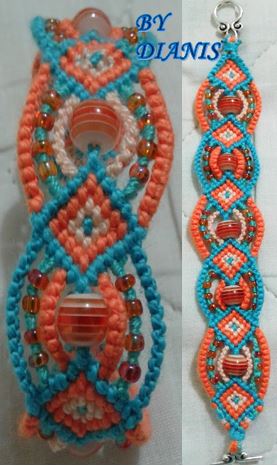
1. Start with 14 strings, start it as you like. I started it with a loop. You need about 80 cm per string.
2. Connect the two middle strings with a Forward knot. Make 6 BK to the left with the left one of the middle strings.
Make 6 Forward knot with the right one of the middle strings.
Continue making candy stripes on both halves of the bracelet, make each row 1 knot shorter than the row before and do not connect both halves in the middle of the bracelet until after the last row.
3. Make a Forward Knot with the two middle strings to connect the two halves. You can now add a bead if you want.

4. Knot each string onto the middle strings. Each string makes one knot, FK on the leftside of the bracelet, BK on the right side of the bracelet. Make sure that the loose string are long enough!
5. Repeat from 1 till you reach the desired length.
6. You can add beads onto the loose strings if you like, or knot some of them together.
The backside of the bracelet is the side that was up when you made the knots.
In photo 6 you can see the good side up.

Good luck, I hope this was helpful!
Editors
The original author of this tutorial is Arismende but it was also edited by Stefan, Sareana, Jeckle, Nadinchen, hellokittylover, Foz, Tayrex, Me_Gusta, usr58785, k_marie, K4yk4y101, Chip3622, HarleyMama23, FatnSassy, Alicat and KnotterHolic.
Uploaded photos (see all 253)
Comments